Getting a child to read consistently is one of the more persistent challenges parents and educators face. School reading lists help, but they rarely account for what a particular child actually finds interesting — and a book a child is not engaged with is a book that stays closed. That gap between assigned reading and genuine reading appetite is the problem Epic was designed to close.
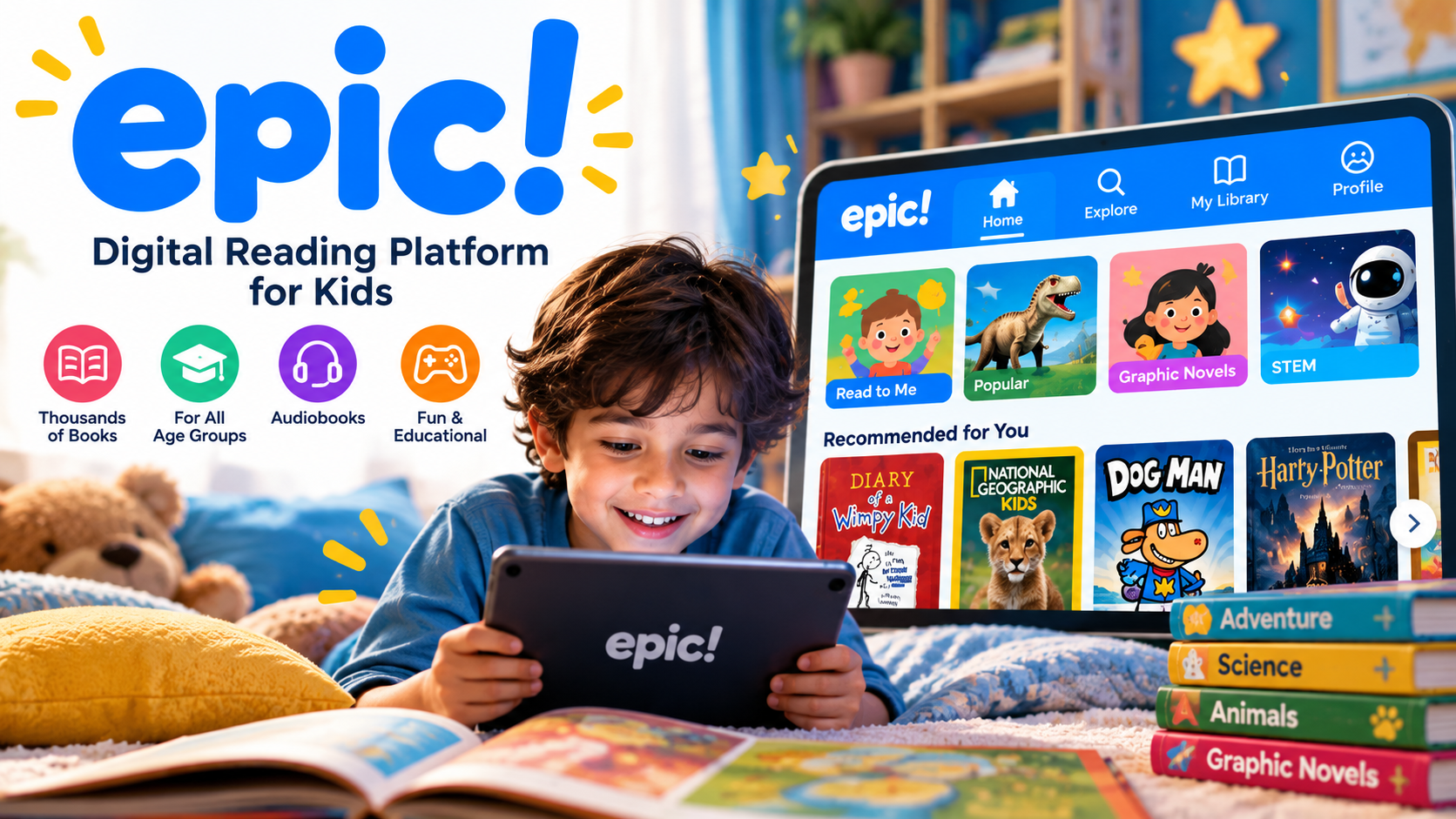
Epic is a digital reading and learning platform built specifically for children aged twelve and under. Rather than sending a child to a library search or an adult-oriented ebook store, Epic provides a curated, age-appropriate digital library where children can browse, read, listen, and learn — independently or with guidance from a parent or teacher.
How Epic Works
Setup is straightforward. Parents or educators create an account and add child profiles, each with an assigned age or reading level. From that point, the platform presents each child with a personalised library view — books, audiobooks, and videos filtered to be appropriate for their age and interests.
Children browse the library by topic, genre, format, or reading level. The interface is designed to be navigated independently by young readers — large thumbnails, clear labels, and a simple layout mean children can explore without needing adult help for every step.
Books open directly within the app on any device — tablet, smartphone, or web browser — and reading progress is saved automatically so children can pick up where they left off across devices.
What the Library Includes
The breadth of Epic’s library is one of its primary selling points. Content is organised across several formats:
- Picture books — illustrated titles for younger readers and pre-readers
- Early readers and chapter books — structured content that grows with developing reading skills
- Graphic novels and comics — visual storytelling formats that are particularly effective for reluctant readers
- Nonfiction titles — covering science, history, animals, sports, technology, and more
- Audiobooks — professionally narrated titles that children can listen to independently
- Read-To-Me books — illustrated books with audio narration, useful for early readers who are not yet fully independent
- Educational videos — short-form learning content covering subjects like science experiments, maths concepts, nature, and creative activities
The library spans a wide range of topics and difficulty levels, which means a single platform can accommodate a six-year-old working on early phonics alongside a ten-year-old reading independently at a chapter-book level.
Features That Go Beyond the Bookshelf
Reading Tools and Progress Tracking
Epic includes reading badges, streak tracking, and completion markers that give children visible acknowledgement of their reading activity. For many children, these small milestones serve as genuine motivation — particularly when building a daily reading habit from scratch.
Parents and educators can view reading activity through a dedicated dashboard, seeing which titles a child has opened, how much time they spent reading, and which books they completed. This visibility is useful for parents who want to stay involved without hovering, and for teachers who need to track independent reading activity across a whole class.
Offline Access
Epic Family accounts support downloading books and audiobooks for offline use, which makes the platform practical during travel, commutes, or situations without reliable internet access. Once downloaded, content is available without any connection — useful for road trips, flights, and school journeys.
Read-To-Me for Developing Readers
The Read-To-Me format deserves specific mention because it is one of the more practically useful features for younger or struggling readers. A professional narrator reads the text aloud while the words are highlighted on screen in sync with the audio. Children follow along visually while hearing the correct pronunciation and rhythm, which supports reading development in a way that simply listening to an audiobook alone does not.
Educator Features and Epic School
Epic has a dedicated offering for classrooms. Epic School provides teachers with free access to the platform during school hours, including the ability to assign specific books to students, create reading lists, and monitor class-wide reading activity. Teachers can assign content as independent reading, homework, or research material, and the progress tracking tools apply at the class level as well as individually.
Epic School Plus extends educator access beyond school hours, providing students with the same 24/7 library access available to family subscribers. This expanded tier is available through a school or district subscription, with pricing available on request from Epic’s education team.
Pricing

Epic offers three main access paths:
- Epic Family — a paid subscription for home use, with a free trial available for new accounts. The Family plan provides unlimited access to the full library, offline reading, audiobooks, Read-To-Me books, educational videos, and the parent dashboard. Pricing is charged as a monthly or annual subscription — check the official Epic website for current rates, as pricing and promotions vary by region.
- Epic School — free access for educators during school hours. Teachers create a class account and students access the platform through a class code. No family payment is required for the school-hours version.
- Epic School Plus — extended educator access available as an institutional subscription, providing students with 24/7 access and expanded library content. Pricing is provided on request through Epic’s education sales team.
Pros and Cons
✅ Pros
- Large, diverse library spanning multiple formats and reading levels
- Read-To-Me books support younger and developing readers effectively
- Free access for educators during school hours removes cost barriers in the classroom
- Offline reading makes the platform practical in low-connectivity situations
- Parent and educator dashboards provide meaningful visibility without being intrusive
- Works across devices — tablet, phone, and browser
- Age and interest-based browsing makes self-directed discovery easy for children
❌ Cons
- Full family access requires a paid subscription after the free trial — there is no permanent free family tier
- Platform is designed for children twelve and under; older children and teens will find the library outgrows them
- Educators who want 24/7 access for students need a paid institutional tier rather than the free school-hours version
- As with any screen-based reading tool, younger children may benefit from adult guidance to maintain reading focus
Who Should Use Epic?
Epic works well in several distinct situations:
- Families with children aged 2–12 who want to encourage independent reading beyond what physical books alone provide — particularly households where children show strong interest in specific topics, graphic novels, or audiobooks that may not be available in local libraries
- Parents of reluctant readers — the graphic novel selection, audiobooks, and Read-To-Me features offer alternative entry points for children who resist traditional books
- Primary and elementary school teachers who want a free, structured digital reading resource for independent reading time, classroom libraries, or assigned reading without asking families to purchase individual titles
- Families who travel frequently or have inconsistent internet access — the offline download feature makes Epic genuinely portable
Epic is less relevant for teenagers, adult learners, or families primarily interested in content for children aged thirteen and over. The platform’s focus is specifically on the early childhood through late primary school age range, and this focus is reflected in both the library content and the interface design.
Conclusion
Epic addresses a real and practical need: giving children access to an engaging, varied, age-appropriate reading library that they can actually navigate independently. The combination of traditional books, graphic novels, audiobooks, Read-To-Me titles, and educational videos makes it more flexible than a standard ebook service, and the parent and educator tools add meaningful oversight without making the platform feel restrictive for children.
For families with children in the target age range who read regularly, the value case for a Family subscription is clear. For educators, the free school-hours access removes any cost barrier entirely. The free trial provides enough time to assess whether the library matches your child’s interests before committing to a subscription.
Frequently Asked Questions (FAQs)
1. What age group is Epic designed for?
Epic is designed for children aged twelve and under. The library, interface, and content categories are all built around this age range, from pre-readers and early picture books up to chapter books and educational nonfiction for older primary-age children.
2. Is Epic free for teachers and schools?
Yes. Epic School provides free access to the platform for educators during school hours. Teachers can create a class account, assign books, and monitor student reading activity at no cost. Extended 24/7 access for students is available through the paid Epic School Plus institutional tier.
3. Can children use Epic without an internet connection?
Epic Family subscribers can download books and audiobooks for offline reading and listening. Once downloaded, this content is accessible without an internet connection, making the platform usable during travel or in areas with limited connectivity.
4. What types of content does Epic include beyond standard ebooks?
In addition to traditional ebooks, Epic includes audiobooks, Read-To-Me books (illustrated books with professional audio narration), graphic novels, educational videos, and nonfiction content across subjects like science, history, and maths. This range of formats makes the platform useful for different learning styles and reading abilities.
5. How is Epic different from a standard children’s ebook app?
Epic goes beyond a basic ebook library by combining multiple content formats — audiobooks, Read-To-Me titles, and educational videos — with structured learning tools including reading progress tracking, badges, parent dashboards, and educator assignment features. The classroom tools, in particular, make it a functional educational resource rather than a simple reading app.
Leave a Reply