
For decades, watching live television meant dealing with a physical tether. You needed a satellite dish bolted to your roof, a cable line drilled through your living room wall, or a clunky receiver box taking up space under your television. As on-demand streaming platforms like Netflix and Disney+ normalized watching content over the internet, traditional broadcast television began to feel severely outdated.
This technological gap is exactly what Waipu.tv was built to bridge. Designed as a comprehensive IPTV (Internet Protocol Television) solution, it takes the traditional live television experience, digitizes it, and delivers it through your home Wi-Fi network. There are no cables, no hardware installation fees, and no long-term hardware rentals.
But does routing live TV through an app actually improve the viewing experience? By breaking down how Waipu.tv integrates into a daily routine—from morning news to prime-time movies—we can see exactly how it compares to both traditional broadcasting and standalone on-demand streaming.
Morning Routine: The Channel Surf Without the Cable
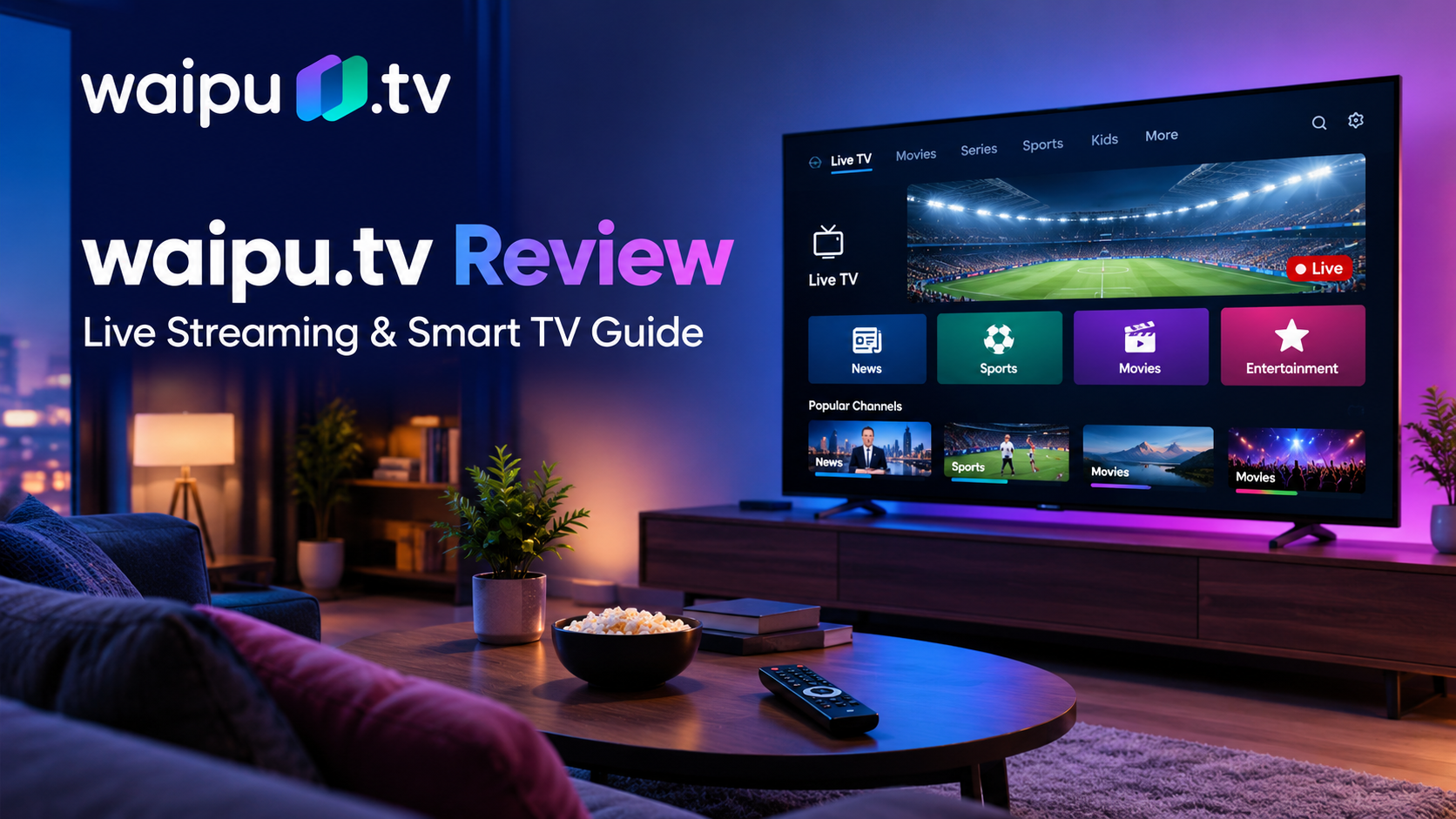
The traditional TV experience usually begins by turning on the screen and flipping through live channels. Waipu.tv preserves this exact ritual but removes the hardware delay. When you launch the app on your Smart TV, you are immediately greeted by the live feed of your last-watched channel.
The Breadth of the Channel Selection
As of 2026, the platform boasts a massive roster of over 300 channels. This includes the entire spectrum of public broadcasters, major private networks, and specialized Pay-TV channels covering documentaries, sports, and children’s programming. The sheer volume easily rivals traditional premium cable packages.
The “Restart” Advantage
Where Waipu.tv immediately outperforms a traditional cable box is in its time-shifting capabilities. If you turn on the TV at 8:15 AM to watch a morning show that started at 8:00 AM, traditional TV forces you to miss the first fifteen minutes. With Waipu.tv, the “Restart” function allows you to jump back to the beginning of the currently broadcasting program with a single click. This feature transforms live TV from a rigid schedule into a flexible, viewer-centric experience.
The Commute and the Smartphone: Streaming on the Go
Television is no longer confined to the living room couch. Modern viewers expect their content to travel with them, and Waipu.tv is built fundamentally around multi-device compatibility.
Device Support and Ecosystem
The service operates through a unified app available on almost every major platform. This includes Apple TV, Amazon Fire TV, Roku, Google Chromecast, and native Smart TV operating systems (like Samsung Tizen and LG webOS). More importantly, it runs flawlessly on iOS and Android smartphones and tablets, as well as via web browsers on desktop computers.
The Mobile Viewing Experience
If you are watching a soccer match in your living room but need to leave the house, you can pause the live broadcast on your TV, open the Waipu.tv app on your smartphone, and resume the match while on the train. The app allows for multiple simultaneous streams (typically up to four, depending on the subscription tier), meaning a family can watch different live channels on different devices across the house without needing multiple cable boxes.
Prime Time: The Quality and the Catalog
When evening arrives and viewers settle in for movies or premium series, the technical performance of the platform becomes critical.
Picture Quality and Stability
Waipu.tv delivers its premium channels in brilliant High Definition (HD), utilizing a proprietary fiber-optic network infrastructure. This dedicated network backbone ensures that the streaming quality remains stable even during high-traffic events like major sporting finals. Because it relies entirely on your internet connection, a stable home network of at least 16 to 50 Mbps is recommended for uninterrupted HD viewing across multiple devices.
The Waiputhek: Blending Live and On-Demand
Prime time is no longer just about what is currently broadcasting. Waipu.tv includes a massive on-demand library known as the Waiputhek. This library contains over 30,000 movies, series episodes, and documentaries that can be streamed at any time. It effectively turns the service into a hybrid platform, offering the live-event thrill of traditional TV alongside the binge-watching convenience of a platform like Amazon Prime Video.
The Late Night DVR: Cloud Recording Explained
The concept of recording a TV show used to involve VHS tapes, and later, internal hard drives inside cable boxes that would inevitably fill up or break. Waipu.tv digitizes this entire process through Cloud Recording.
How the Cloud DVR Works
Instead of saving a movie to a physical device in your home, Waipu.tv saves it to their secure servers. With the premium packages, users are granted 100 hours of recording space. You can schedule recordings directly from the electronic program guide (EPG) on your phone while you are away from home. When you return, the recorded show is available to stream on any of your connected devices.
This eliminates the frustration of hardware failure and allows you to build a personalized library of your favorite broadcasts, accessible from anywhere.
The Financial Breakdown: Packages and Pricing in 2026
Waipu.tv structures its pricing to cater to different viewing habits, operating on a flexible, cancel-anytime monthly subscription model.
- The Comfort Package: This is the entry-level tier. It provides access to the vast majority of standard channels (though some may remain in SD rather than HD) and offers 50 hours of cloud recording memory. It is ideal for the casual viewer who wants to eliminate their physical cable connection.
- The Perfect Plus Package: This is the flagship offering. It unlocks all 300+ channels (including Pay-TV) in brilliant HD, expands the cloud recording space to 100 hours, and allows up to four simultaneous streams. It is designed to completely replace premium satellite or cable subscriptions.
- The Streaming Bundles: Recognizing that viewers also want standalone on-demand content, Waipu.tv frequently offers bundle deals that combine the Perfect Plus package with subscriptions to services like Netflix or DAZN at a discounted total rate.
The Verdict: Who Should Actually Cut the Cord?
Waipu.tv represents the logical endpoint for traditional television. It strips away the cumbersome hardware, the rigid schedules, and the restrictive viewing locations, replacing them with software-driven flexibility.
The Limitations
However, it is not without limitations. The entire service is completely dependent on your internet connection. If your home Wi-Fi goes down, your television goes down with it. Furthermore, viewers in areas with severe data caps or highly unstable broadband infrastructure will find the experience frustrating.
The Ideal User
For the vast majority of users with standard broadband, Waipu.tv is a massive upgrade. The ideal user is someone tired of paying high rental fees for cable boxes, a family that needs to watch different channels on different devices simultaneously, or a viewer who wants the comfort of live sports and news combined with the convenience of pause, restart, and cloud recording.
Ultimately, the decision to switch comes down to how you value convenience. Traditional broadcasting forces the viewer to adapt to the television’s schedule and physical location. Waipu.tv forces the television to adapt to the viewer. By combining the immediacy of live broadcasting with the interface, mobility, and on-demand features of modern tech, it offers a viewing experience that feels entirely built for 2026.
Frequently Asked Questions (FAQs)
1. Do I need a special receiver or hardware to use Waipu.tv?
No. Waipu.tv operates entirely through software. You simply download the Waipu.tv app on your existing Smart TV, streaming stick (like an Amazon Fire TV or Apple TV), smartphone, or tablet. While the company does sell a branded “Waipu.tv 4K Stick” with a custom remote, it is entirely optional.
2. Can I watch Waipu.tv when I am away from home?
Yes. You can watch Waipu.tv on your mobile devices over cellular data or public Wi-Fi networks. This makes it easy to catch up on live sports or news while commuting or traveling. However, streaming video does consume significant mobile data, so an unlimited data plan is recommended if you watch frequently on the go.
3. How does the “Restart” function actually work?
If you tune into a channel and a movie is already halfway over, you can press the “Restart” button on the screen. The app will immediately jump back to the beginning of the broadcast. This works for the majority of channels and shows, though a few specific broadcasts may restrict the feature due to licensing agreements.
4. What happens when my Cloud Recording storage is full?
If you reach your 100-hour limit (on the Perfect Plus plan), you will need to delete older recordings before you can schedule new ones. Because the recordings are stored in the cloud, you cannot transfer them to a personal hard drive or USB stick.
5. Can multiple people in my house watch different channels at the same time?
Yes. Depending on your subscription tier, Waipu.tv allows multiple simultaneous streams. The Perfect Plus package typically allows up to four devices to stream live TV at the exact same time, making it an excellent solution for families with different viewing preferences.
Leave a Reply