
Most live content creators face the same practical friction: your audience is not in one place. Some follow you on Twitch, others on YouTube, and a growing portion only engage through LinkedIn or Facebook. To reach all of them, the traditional answer was to go live on one platform, finish, then repeat the process on another — or maintain separate, simultaneous streams and monitor each individually. Neither approach scales.
Restream solves this by acting as a distribution layer between your broadcast and your audience. You stream once, to Restream, and it forwards your content to every platform you have connected — simultaneously, in real time. The difference to your actual production workflow is minimal; the difference to your reach is significant.
A Typical Restream Workflow
Understanding how Restream fits into a live production is more useful than a feature list, so here is what a broadcast actually looks like from start to finish.
Before going live, you connect your destination channels — YouTube, Twitch, Facebook, LinkedIn, X (formerly Twitter), and others from Restream’s supported list of over 30 platforms. You do this once inside Restream’s dashboard, and those connections persist for future broadcasts.
When it is time to stream, you have two paths. You can use Restream Studio, the browser-based production environment built directly into the platform, or connect your own streaming software — OBS, Streamlabs, Ecamm, or any RTMP-compatible encoder — and route it through Restream’s servers.
Once you go live, Restream distributes your signal to every connected platform simultaneously. The key shift here is that you are no longer managing multiple streams — you are managing one stream that Restream multiplies.
Restream Studio: Going Live Without Production Software
Restream Studio is the built-in browser-based live production tool. For creators who do not want to install or configure OBS, or who are just getting started with live content, Studio removes a significant barrier.
Inside Studio, you can:
- Switch between camera and screen share sources in real time
- Invite up to 10 guests to join the stream remotely, each appearing on screen as a separate video panel
- Apply custom overlays, lower-thirds, and branded backgrounds without third-party graphics tools
- Display pre-recorded video clips within your live broadcast
- Show on-screen alerts for new followers, subscribers, or donations
- Manage everything from a standard web browser — no download required
For solo creators, interview-format shows, panels, and webinars, Studio handles the production requirements without technical overhead. For higher-production broadcasts — complex scene compositions, multiple audio inputs, hardware capture cards — experienced streamers will typically prefer their own encoder connected through Restream.
Chat Without the Tab-Switching
Live engagement is one of the primary reasons creators invest in streaming. Restream consolidates chat messages from all connected platforms into a single unified feed, showing who said what and which platform they are on — all in one view.
This matters in practice. Without consolidated chat, you are either watching multiple browser tabs simultaneously or missing messages from platforms you are not actively monitoring. Restream’s unified chat removes that problem, letting you engage with viewers across every platform from a single interface.
The chat can be displayed as an overlay within your stream so your audience sees viewer messages on screen — a standard feature for gaming and entertainment content that keeps the broadcast interactive.
Analytics That Actually Inform Decisions
After a broadcast, Restream’s analytics dashboard shows platform-by-platform performance data — concurrent viewership peaks, total watch time, new followers gained per platform, and engagement metrics. For creators who stream regularly, this data answers a question that would otherwise require manual cross-referencing: which platforms are actually delivering audience growth, and which are getting minimal traction?
Over time, this informs sensible decisions about where to focus. A creator reaching five times more viewers on YouTube than Facebook may decide to deprioritise Facebook rather than maintain equal effort across both.
Recording and Content Repurposing
Cloud recording is available on paid plans, automatically saving your full broadcast in the cloud as it happens — independent of whether your local recording setup worked correctly. After the stream, you can download the recording for editing, repurposing into shorter clips, or uploading to on-demand platforms.
Restream also offers a separate Clips add-on that assists with identifying and cutting shorter, social-ready highlights from longer recordings — useful for creators who want to extract content from a one-hour stream without manually scrubbing through the full recording.
Plans and Pricing
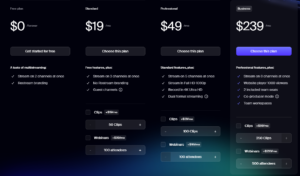
| Plan | Price | Simultaneous Channels | Key Inclusions |
|---|---|---|---|
| Free | \$0/month | 2 | Basic multistreaming, Restream branding on stream |
| Standard | \$19/month | 3 | No branding, Full HD, cloud recording |
| Professional | \$49/month | 5 | Advanced analytics, higher recording storage |
| Business | \$239/month | 8 | Team collaboration, white-label options |
Pricing based on currently published rates. Check the official Restream website for current pricing, promotional offers, and annual billing discounts before subscribing.
Different Creators, Different Reasons to Use It
Restream serves a wide range of use cases, and the practical benefit varies depending on how you use it:
Content Creators and YouTubers
Growing a channel on a single platform takes considerable time. Multistreaming lets you test engagement across platforms simultaneously without extra production effort. Over time, analytics show where your content resonates, letting you concentrate resources more intelligently.
Gamers and Twitch Streamers
Restream integrates cleanly with OBS and Streamlabs — the standard tools in gaming content production. Gamers already comfortable with their OBS setup can add Restream as their output destination without changing anything else in their production workflow.
Businesses and Marketers
Corporate livestreams — product launches, webinars, Q&A sessions, live demos — benefit from simultaneous distribution across LinkedIn, YouTube, and Facebook. Reaching professional and consumer audiences in a single broadcast reduces coordination effort and ensures no segment of your audience misses the live event.
Educators and Podcasters
Educators hosting live learning sessions and podcasters recording live shows can use Restream Studio’s guest invite feature to host multi-participant broadcasts without Zoom or Teams. The recording then serves as an episode archive, and the live stream reaches new audiences while it is happening.
What You Should Know Before Using Restream
A few practical considerations are worth understanding before committing to a plan:
- The free plan includes Restream branding on your stream — visible to viewers on every platform. Professional use cases will need a paid plan from the start.
- Your stream quality is capped by your upload bandwidth. Restream does not improve your internet connection — it distributes whatever signal you send it. A poor upload speed will result in poor quality on every destination.
- Platform-specific restrictions still apply. Some platforms require a minimum follower count before enabling third-party live streaming tools. Restream does not override these platform requirements.
- Cloud recording storage is plan-dependent. Longer streams on lower-tier plans may exceed storage limits, requiring you to download recordings promptly or upgrade.
- Clips is a separate add-on, not included in base plans. Budget for it separately if content repurposing is a priority.
The Honest Takeaway
For creators and businesses that regularly go live and want their content reaching more than one platform, Restream is one of the most practical tools available. The core value proposition — stream once, appear everywhere — is delivered reliably, and the surrounding toolset of unified chat, analytics, Studio, and recording covers most production needs without requiring additional platforms.
The free plan is a genuine starting point for testing the workflow. The Standard plan removes branding and adds Full HD, which makes it the practical entry point for any creator using the platform professionally. Higher tiers add channels and team features for organisations running regular live productions at scale.
If multistreaming is a meaningful part of your content strategy, Restream earns its place in the workflow.
Frequently Asked Questions (FAQs)
1. Can I use Restream with OBS?
Yes. Restream works with OBS, Streamlabs, Ecamm, and any other RTMP-compatible streaming software. You configure your encoder to send its output to Restream’s ingest server, and Restream handles the distribution to all connected platforms from there.
2. How many platforms can Restream stream to simultaneously?
The number of simultaneous channels depends on your plan: 2 on Free, 3 on Standard, 5 on Professional, and 8 on Business. Restream’s platform supports connections to over 30 social and streaming channels in total.
3. Does Restream record live streams?
Cloud recording is available on paid plans and saves your broadcast automatically during the stream. Recordings can be downloaded after the session ends. Storage limits vary by plan, so longer streams on lower-tier plans may need to be downloaded promptly.
4. Is Restream Studio suitable for hosting guests?
Yes. Restream Studio supports up to 10 remote guests in a single broadcast session, each appearing as a separate video panel on screen. Guests join via a browser link without needing to install any software, making it practical for interviews, panels, and multi-host shows.
5. Does the free Restream plan include branding on the stream?
Yes. The free plan includes a Restream watermark visible on your broadcast. Removing the branding requires upgrading to a paid plan. For professional or business use, the Standard plan at \$19/month is the practical minimum.
Leave a Reply